
How to Choose an IPTV Subscription in 2026: Complete Buyer’s Checklist
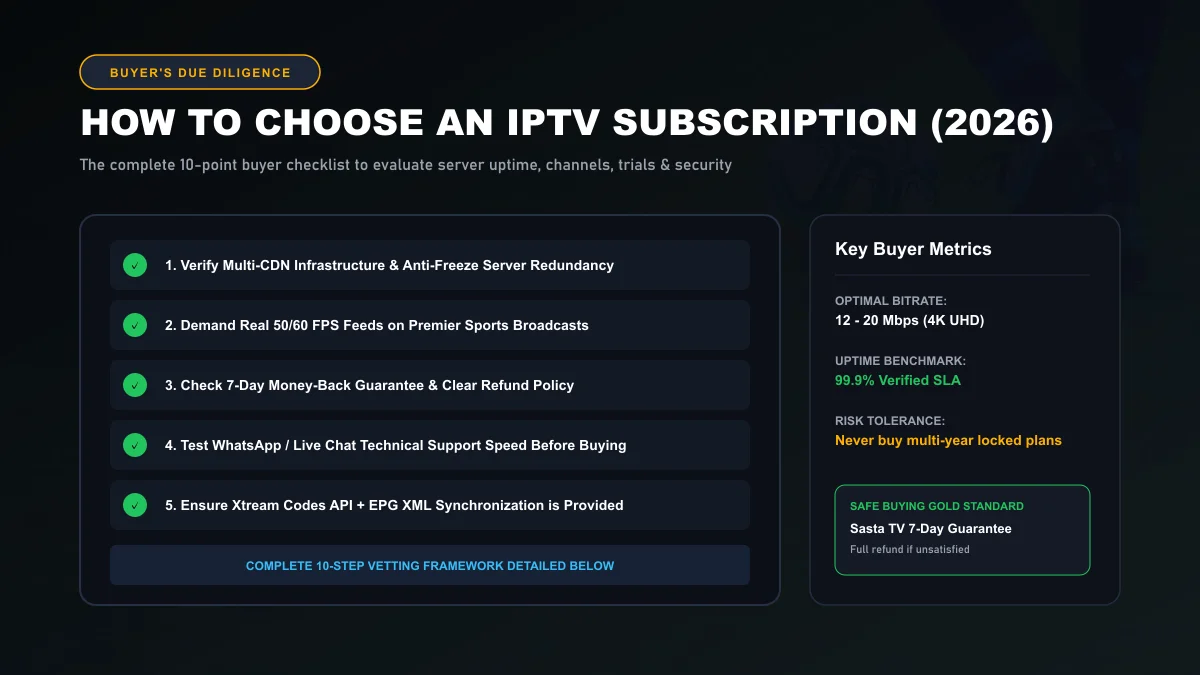
Choosing the right IPTV subscription in 2026 requires looking far beyond superficial marketing claims of "50,000 channels for $20." Navigating the IPTV market successfully requires auditing server CDN stability during live events, verifying native 60 FPS sports feeds, checking money-back guarantees, and knowing how to spot fly-by-night sellers before you share payment details.
Step 1: Identify Your Exact Content Needs
Before comparing providers, clarify what your household actually watches. Most consumers fall into one of three distinct viewer profiles:
The Live Sports Fan
Prioritizes 50/60 FPS frame rates, sub-20 second broadcast latency, 4K Ultra HD options, and 100% uptime during Saturday kickoff and Sunday evening championship fixtures.
The Cinema & Series Buff
Demands a vast on-demand (VOD) catalog (100,000+ titles) updated daily with multi-language subtitle tracks, 4K HDR video, and resume-playback synchronization.
The Global Expat
Requires stable international feeds from specific countries (UK, US, Canada, France, Germany, Italy, Arab nations) with 7-day Electronic Program Guide (EPG) schedules.
Knowing your primary focus helps you filter out services that offer thousands of uncurated low-quality channels while neglecting the specific networks you actually watch.
Step 2: Audit Channel Categories & VOD Catalog
Always demand a transparent, searchable channel directory before purchasing. A reputable provider organizes channels logically by country, genre, and resolution rather than dumping thousands of unindexed links into one chaotic list.
Inspect our verified lineup of 25,000+ live feeds across 50+ countries on the Sasta TV live channel catalog.
Step 3: Check Device Compatibility & Multi-Device Rules
Every provider operates under strict concurrency rules. Understanding these rules prevents stream interruptions:
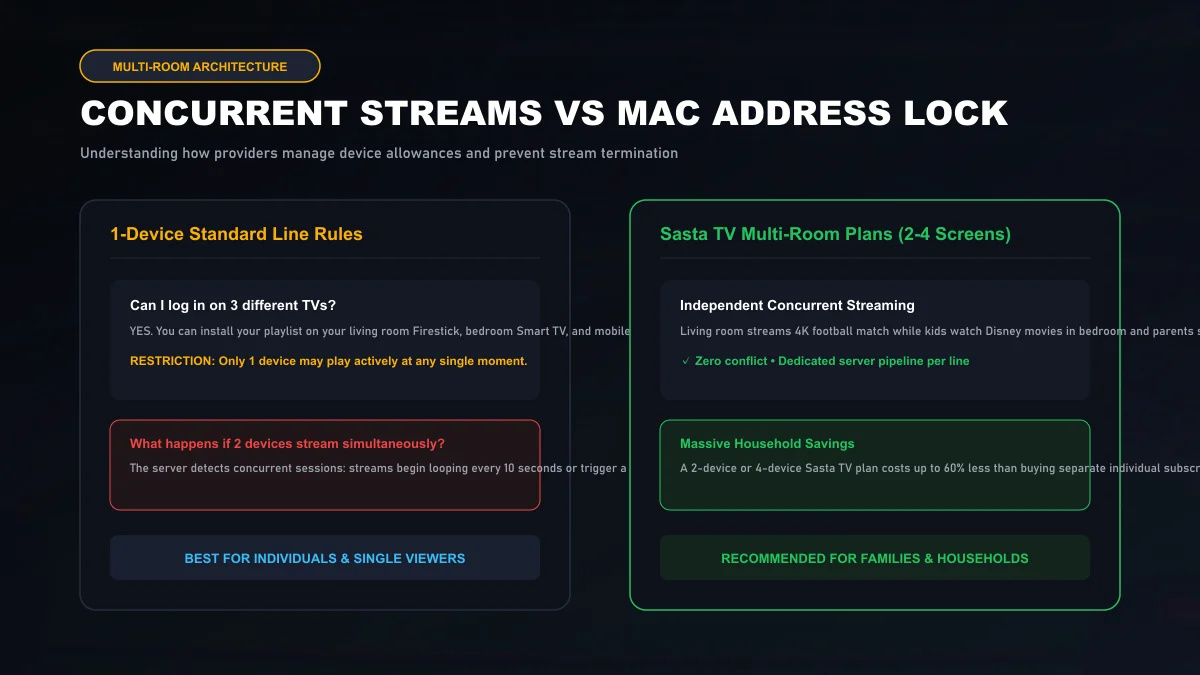
- Single-Device Subscription: You may install your credentials on your living room Firestick, bedroom Smart TV, and phone, but only one device may play actively at any single moment. Streaming simultaneously on two devices triggers an instant session conflict.
- Multi-Room Subscription: If your family wants to watch sports in the living room while children stream cartoons in the bedroom, choose a multi-connection plan (2, 3, or 4 screens) from our Sasta TV pricing tiers.
If you stream on a television, verify compatibility in our dedicated Smart TV IPTV guide.
Step 4: Verify Streaming Quality & 60 FPS Standards
Many low-tier sellers slap "4K UHD" badges onto low-bitrate 720p streams. To verify genuine high-definition video:
- Frame Rate: Sports channels must output at true 50 or 60 FPS. Video players like TiviMate display stream technical properties in real time.
- Encoding: High-quality providers use modern H.265/HEVC encoding as detailed in Apple HTTP Live Streaming Guidelines .
Step 5: Test Customer Support Speed Before Paying
The fastest way to evaluate a provider is to send a technical question before handing over your money.
Ask a specific question: "Do your UK sports streams output in native 50 FPS?" or "How do I configure Xtream Codes API on LG webOS?"
If you receive an automated bot response or no reply for 24 hours, do not buy. A trustworthy service like Sasta TV operates real human 24/7 technician support on WhatsApp. Test our response speed on customer support.
Step 6: Verify Free Trial & Money-Back Guarantee
Never purchase from any IPTV vendor that displays "All sales are strictly final with zero refunds." If a provider has confidence in their server uptime and Anycast CDN stability, they will back their service with a money-back guarantee.
Every Sasta TV subscription includes a risk-free 7-day 100% money-back guarantee. Review the complete terms on our refund policy page.
Step 7: Payment Security & Transparent Pricing Models
Legitimate IPTV operations provide flexible payment durations (1 month, 3 months, 6 months, and 12 months) rather than demanding multi-year commitments upfront.
Be cautious of sellers who only accept untraceable cryptocurrency transfers with zero buyer protection mechanisms. Secure credit card processing and verified digital gateways signal a provider committed to long-term operations.
Step 8: Understanding Direct Providers vs Reseller Lines
In the IPTV industry, subscriptions are distributed through direct provider servers or authorized reseller panels. Resellers buy wholesale credit pools and manage their own local client rosters.
Both options can provide stellar streaming if the upstream infrastructure utilizes European Anycast CDNs. Learn how wholesale reseller systems operate in our IPTV reseller program guide.
Step 9: 7 Critical Red Flags to Watch Out For
Spotting predatory sellers before parting with your money is simple when you know the warning signs:
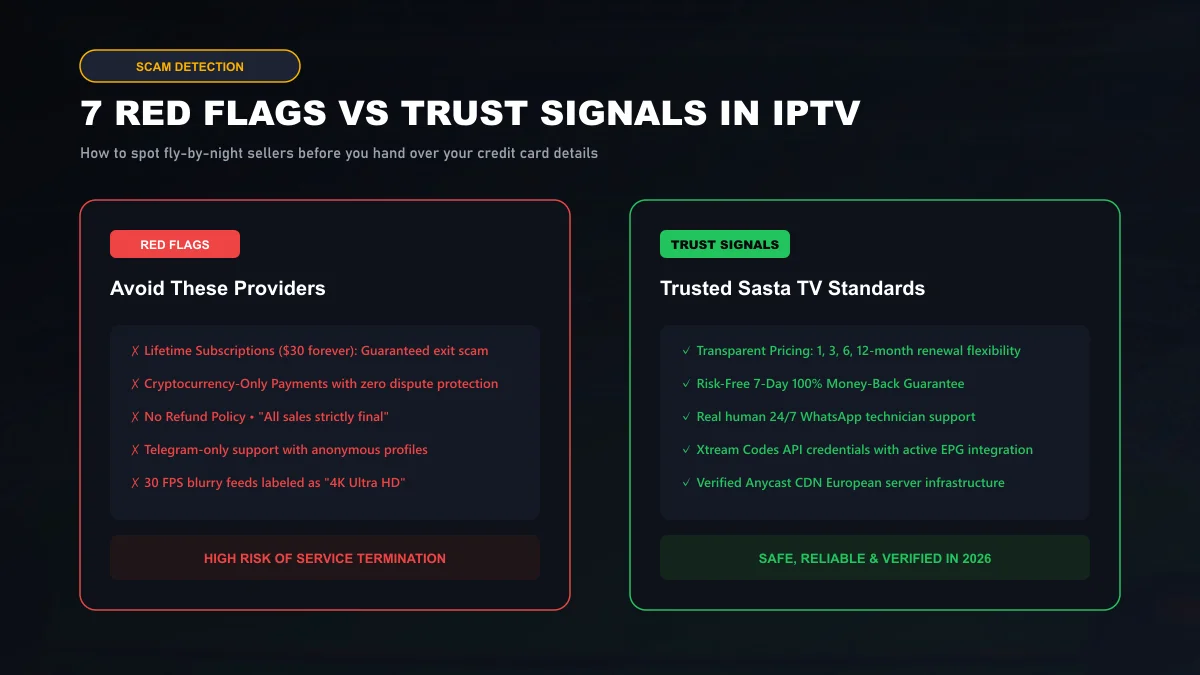
Red Flag 1: "Lifetime" Subscriptions ($30 forever): A guaranteed exit scam. High-bandwidth European servers incur massive monthly transit costs. Any seller offering "lifetime" access disappears within months.
Red Flag 2: Anonymous Telegram-Only Sellers: Sellers who refuse to maintain an official website or transparent customer portal cannot be held accountable when streams go dark.
Red Flag 3: Raw M3U Files Only: Providers who cannot provide Xtream Codes API credentials usually run unmanaged scrapers that lack integrated EPG and VOD organization.
Step 10: The Ultimate Pre-Purchase Checklist
Before entering payment details, confirm all 7 boxes are checked:
Read our in-depth evaluation in the Sasta TV independent review, or get started immediately on our subscription pricing page.
Buyer's Guide Frequently Asked Questions
What is the biggest red flag when shopping for an IPTV provider?
The most dangerous red flag is 'Lifetime Subscriptions' (e.g. pay $40 once and get television forever). Server bandwidth, edge CDN routing, and live satellite downlinks incur massive recurring monthly operational costs. Any provider selling 'lifetime' access is operating an exit scam that will vanish within 3 to 6 months.
Why should I test an IPTV service during peak match hours?
Every IPTV service runs smoothly on a Tuesday morning when server loads are minimal. The true test of a provider's infrastructure occurs on Saturday at 3:00 PM or during major Champions League or UFC events. A reputable provider with multi-CDN redundancy will deliver buffer-free streams even under peak load.
What should I look for in a provider's refund policy?
Look for an explicit, no-questions-asked money-back guarantee (such as Sasta TV's 7-day 100% money-back guarantee). Avoid sellers whose terms state 'all sales are strictly final' or who only accept untraceable cryptocurrency payments with zero dispute mechanisms.
Why is Xtream Codes API support better than an M3U link alone?
An M3U link is a fragile text file containing stream URLs that often breaks when servers rotate. Xtream Codes API connects dynamically to the server's database, automatically updating channel lineups, synchronizing 7-day TV guides, and displaying account expiration dates.
How can I tell if customer support is real or automated bots?
Send a technical question before purchasing (e.g. asking about specific audio decoders or UK sports frame rates) via WhatsApp or live chat. A legitimate provider like Sasta TV has active human technicians who respond knowledgeably within minutes.
How many simultaneous devices can I stream on with one subscription?
Standard subscriptions permit one active stream at a time. If you run multiple TVs simultaneously in your household, verify whether the provider offers multi-room plans (2, 3, or 4 concurrent connections) so your devices don't terminate each other's streams.